
Technical SEO for Agencies: A Step-by-Step Checklist
Introduction
Great content means nothing if search engines can’t crawl, render, or index it. That’s the honest truth behind every stalled ranking and every “why aren’t we showing up on Google?” question clients ask. Getting technical seo for agencies right is what turns a good site into a discoverable one that actually drives organic traffic and leads.
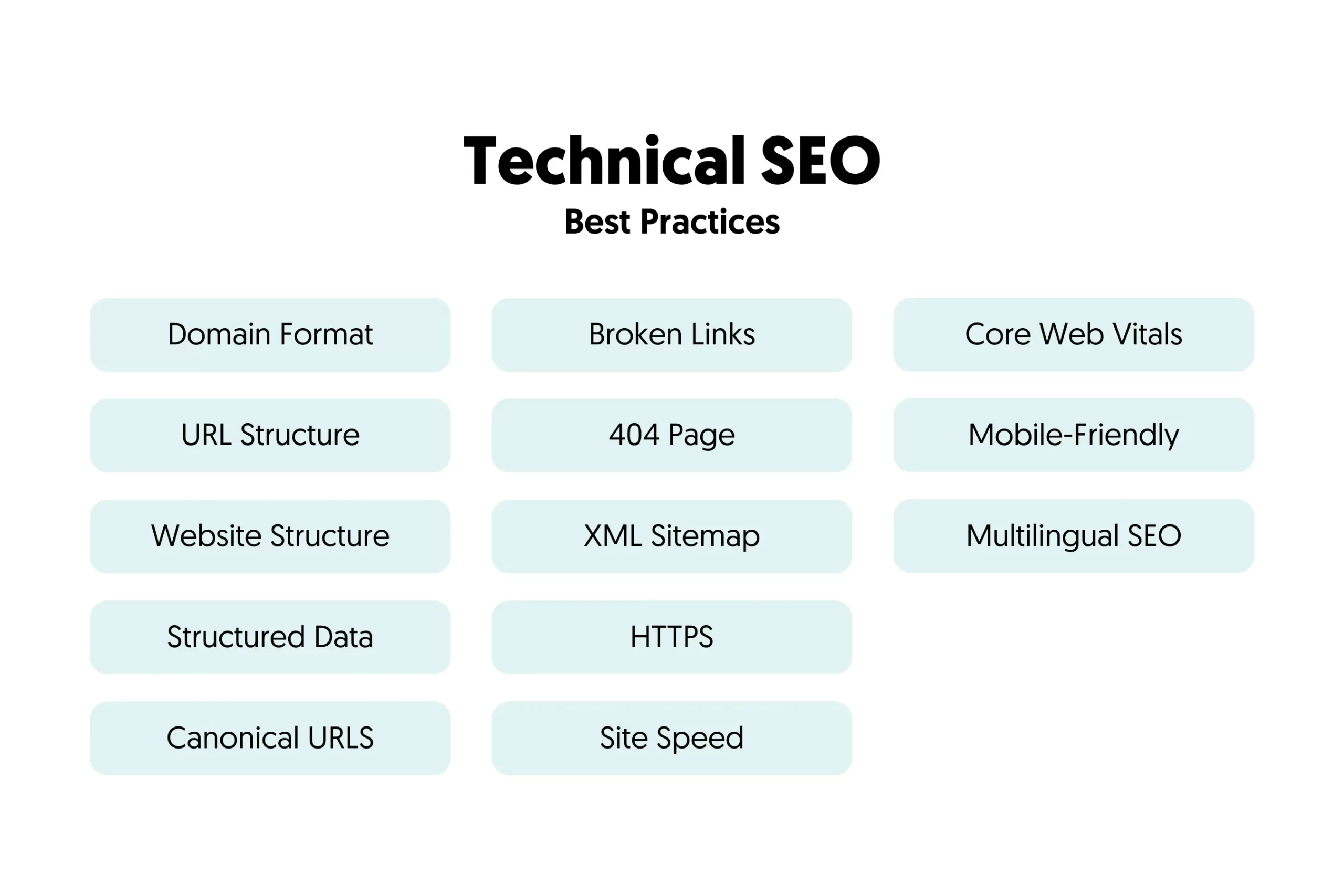
This step-by-step checklist walks you through every core pillar — crawlability, indexation, Core Web Vitals, robots.txt, sitemaps, canonical tags, rendering, security, internal linking, and schema. Whether you manage one local business or fifty client sites, this framework keeps your work consistent, repeatable, and measurable. Let’s dig in!
Start With a Full Technical SEO Site Audit
Every strong technical SEO process begins with a proper site audit. You can’t fix what you haven’t found! Crawl each client site with a tool like Screaming Frog and cross-check findings in Google Search Console.
Look for broken links, messy URL structure, missing metadata, duplicate content, and slow-loading pages. Document everything in a shared report so priorities are crystal clear. A clean baseline audit protects you from inheriting hidden technical debt — and it gives clients a transparent snapshot of where their site stands before optimization even begins.
Technical SEO Crawling and Crawlability Checklist
Crawling is step one. If a bot can’t access a page, it can’t rank it — simple as that.
Start by checking HTTP status codes. A 200 means the page is live and ready. A 301 passes authority to a new URL, while 404 and 410 tell Google to drop the page. Use 503 during scheduled maintenance so bots know to return later.
Next, review your robots.txt file. It controls which bots crawl which sections, but remember — it does not handle indexing. Never block CSS or JavaScript files, since Google needs them to render pages correctly. Always declare your sitemap inside robots.txt too.
Watch out for crawl traps: infinite scroll, endless faceted filters on e-commerce sites, redirect chains, and parameter-heavy URLs. These waste crawl budget fast, especially on large sites, and can quietly bury your most valuable pages.
Optimize Your Crawl Budget for Technical SEO
Crawl budget is the number of URLs a search engine crawls in a set window. It hinges on two things: your server’s capacity and how much Google actually wants to crawl your content.
Want more crawl budget? Keep content fresh, prune dead pages, and fix intermittent server errors. Trim duplicate and parameterized URLs that send bots chasing worthless pages. A fast, reliable server encourages Google to crawl more often. Strong site architecture and internal linking help here too, guiding bots straight to the pages that matter for organic traffic and conversions.
Technical SEO Indexation and Index Coverage Checklist
A page can be crawled but still never indexed — and unindexed pages are invisible on Google and in AI answers like ChatGPT or Perplexity.
Check your index coverage report in Google Search Console to spot excluded URLs, duplication, and crawl waste. Then tighten your controls:
- Meta robots: Use noindex to reliably keep thin or private pages out of results. Remember, blocking in robots.txt does not prevent indexing.
- Canonical tags: Add self-referencing canonicals on indexable pages and point duplicates to the primary version. Always use absolute URLs, and never canonicalize to a 404 or noindex page.
- Soft 404s: Fix pages that return 200 but show “not found” content — they confuse Google and waste budget.
Also flatten deep pages. If important content sits five clicks from the homepage, bots may treat it as unimportant. Keep key pages shallow and well-linked.
Nail Core Web Vitals and Page Speed Optimization
Page speed optimization isn’t optional anymore — it’s a ranking factor and a conversion driver. Slow sites lose visitors before they ever see your client’s offer.
Focus on the three Core Web Vitals:
- LCP (Largest Contentful Paint): Measures loading. Aim for under 2.5 seconds.
- INP (Interaction to Next Paint): Measures responsiveness. Target under 200 ms.
- CLS (Cumulative Layout Shift): Measures visual stability. Keep it below 0.1.
Test everything in PageSpeed Insights, which pulls real-world data straight from Chrome users.
To speed things up: compress images with modern formats like WebP or AVIF, minify your HTML, CSS, and JavaScript, and serve assets through a CDN. Set explicit width and height on images and banners to stop layout shifts. For mobile users especially, every trimmed millisecond helps — and for local businesses, faster pages often mean the difference between a booked appointment and a bounced visitor.
Mobile-First Indexing in Your Technical SEO Workflow
Google uses the mobile version of a site to crawl, index, and rank. So if your mobile pages are slimmer, slower, or missing content, rankings suffer.
Keep content, internal links, and structured data consistent across mobile and desktop. Prioritize the mobile experience: readable text, tappable buttons, short forms, and clean navigation. Given that most local searches happen on phones, a polished mobile site directly shapes how many nearby customers actually find and contact your clients.
JavaScript Rendering: CSR vs SSR
JavaScript can quietly break your rankings if it’s handled poorly. Here’s the technical SEO breakdown you need.
With client-side rendering (CSR), the browser builds the page. The problem? Most AI crawlers don’t execute JavaScript, so they see a blank page. Google can render CSR, but it splits the work into phases, which delays indexing and burns crawl budget.
With server-side rendering (SSR), the HTML arrives fully built. Search engines and AI systems read it instantly, LCP improves, and indexing gets more reliable. SSR usually costs more to build, but it’s the safer choice for visibility.
To diagnose rendering, use the URL Inspection tool in Google Search Console to compare raw source with rendered output. Screaming Frog’s JavaScript rendering mode helps you catch content that only appears after scripts run.
Security, HTTPS, and Site Architecture Checklist
HTTPS is a baseline expectation. It encrypts the connection, builds trust, and browsers now warn users away from unsecured sites. Grab a valid SSL certificate, force redirects from HTTP, and clear any mixed content warnings where insecure resources load on a secure page.
Internal linking deserves serious attention. Use clear, descriptive anchor text and link key pages from relevant, authoritative content. Eliminate orphan pages that receive no internal links, and keep your link paths logical with breadcrumbs. Good internal linking spreads authority and guides visitors toward conversion points.
Then layer in structured data. Valid JSON-LD schema markup helps you earn rich results and helps both Google and AI systems understand your brand entities. Apply schema consistently across templates, and validate it to clear errors before it ships.
Monitor Algorithm Updates and Maintain
Technical SEO is never “set and forget.” Google makes hundreds of tweaks a year, split into broad core updates and smaller specific ones.
Build a maintenance rhythm: monthly checks for index drift, broken links, Core Web Vitals regressions, and schema errors. Run a full audit after every migration, redesign, or ranking swing. Track progress against real metrics — traffic, rankings, conversions, and leads — so clients see measurable ROI, not just activity.
FAQs: Technical SEO for Agencies
How often should I run a technical SEO audit?
Run a full audit at least quarterly. Large or frequently updated sites should review monthly. Always audit after migrations, redesigns, major updates, or sudden ranking drops.
How do I check crawlability and indexation?
Use Google Search Console’s URL Inspection and Pages reports. Compare submitted sitemap URLs with indexed pages, then resolve stray noindex tags, redirects, and canonical conflicts.
Which Core Web Vitals matter most?
LCP, INP, and CLS. Monitor them in PageSpeed Insights and Search Console to keep loading, responsiveness, and visual stability in the green.
Should I include JavaScript rendering checks?
Yes — especially for sites built on JS frameworks. Confirm critical content, links, and metadata appear in the rendered HTML.
How do I fix robots.txt issues?
Make sure important pages, CSS, and JS aren’t blocked. Test changes in Search Console and reference your sitemap for clear crawl guidance.
Conclusion
A checklist turns messy guesswork into a repeatable system — and that’s exactly why technical SEO for agencies works best when treated as quality control, not a one-off task. When crawling, indexation, Core Web Vitals, rendering, security, and schema all line up, your clients’ sites become easier to find, faster to use, and more likely to convert.
Start with a clean audit, fix high-impact issues first, then maintain consistently. Do that, and you’ll deliver the measurable growth — more visibility, more traffic, more leads — that clients actually care about!